
1.5 KiB
1.5 KiB
CLI Examples
All examples use this example input file.
Input file and specify fields
$ json2csv -i input.json -f carModel,price,color
carModel,price,color
"Audi",10000,"blue"
"BMW",15000,"red"
"Mercedes",20000,"yellow"
"Porsche",30000,"green"
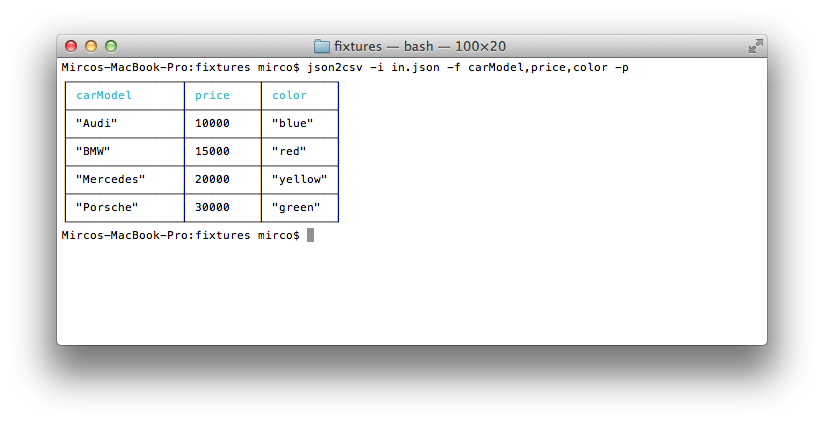
Input file, specify fields and use pretty logging
$ json2csv -i input.json -f carModel,price,color -p
Generating CSV containing only specific fields
$ json2csv -i input.json -f carModel,price,color -o out.csv
$ cat out.csv
carModel,price,color
"Audi",10000,"blue"
"BMW",15000,"red"
"Mercedes",20000,"yellow"
"Porsche",30000,"green"
Same result will be obtained passing the fields config as a file.
$ json2csv -i input.json -c fieldsConfig.json -o out.csv
where the file fieldsConfig.json contains
["carModel", "price", "color"]
Read input from stdin
$ json2csv -f price
[{"price":1000},{"price":2000}]
Hit Enter and afterwards CTRL + D to end reading from stdin. The terminal should show
price
1000
2000
Appending to existing CSV
Sometimes you want to add some additional rows with the same columns. This is how you can do that.
# Initial creation of csv with headings
$ json2csv -i test.json -f name,version > test.csv
# Append additional rows
$ json2csv -i test.json -f name,version --no-header >> test.csv